
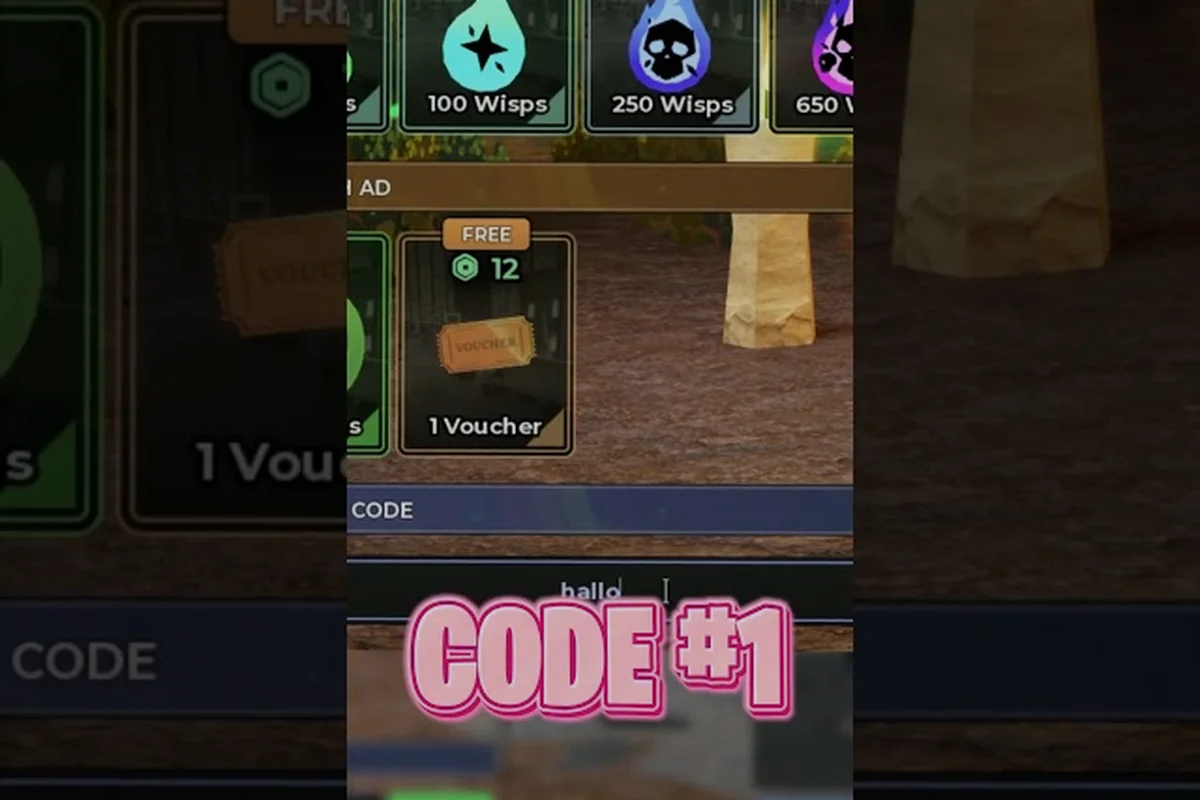
Evade codes on Roblox are case sensitive, and mistyping even one letter turns a fresh reward into a red Invalid Code error inside the Twitter box. This guide explains exactly why the validator compares every character of a code string, lists the active 2026 codes with their exact required casing, and walks through the fixes that rescue a code that should work — so you never lose a token drop to a stray capital letter.
Why Typing Case Sensitive Evade Codes Correctly Matters
Evade codes are case sensitive, and a single swapped letter or accidental capital will trigger the dreaded "Invalid Code" red text inside the Twitter code box. Players who paste from a chat message, type a code from memory, or rely on autocorrect frequently lose the reward because the redemption system treats every character as exact — meaning ISurvivedDataHaul works but isurviveddatahaul will not, and isurviveddataHaul also fails on the misplaced uppercase H. The same rule applies to the new 2026 event strings, the birthday code, and any milestone code still listed as active in community trackers.
This guide breaks down exactly how the case sensitivity rule works in Evade's Roblox codebase, where to find the Twitter icon on the main menu, which 2026 codes are still redeemable, and how to troubleshoot a code that simply refuses to accept your input. Every example below uses the exact character casing the developer intended, so you can copy straight from the table into the in-game box without guessing.
| Quick Answer | Detail |
|---|---|
| Are Evade codes case sensitive? | Yes — every character must match the original casing |
| Where do I enter codes? | Click the Twitter icon on the left side of the main menu |
| Do codes expire? | Yes — most event codes expire within 2–6 weeks of release |
| Does the isurviveddatahaul code work? | Only as ISurvivedDataHaul (capital I, S, D, H) |
| Best way to avoid typos? | Copy directly from a verified list, never retype by hand |
Roblox games commonly require players to enter codes in their exact published casing, so paste carefully; for the most accurate list, always refer to the Hide and Seek developer community account before redeeming anything.
How Case Sensitivity Works Inside the Evade Code Box
The redemption system in Evade uses an exact-match string comparison, which is why case sensitivity is non-negotiable. When a player clicks the Twitter icon on the main menu and opens the code entry panel, the game sends the raw text to a server-side validator that checks the string against a stored list of valid codes. The comparison is character-by-character and case-by-case, so any deviation — a capital where a lowercase letter belongs, a space where none should exist, or a punctuation mark in the wrong place — produces an instant rejection.
Community testing reported by players on the official Evade Discord shows that the validator ignores nothing: not extra trailing spaces, not autocorrect capitalization, not a copy-paste from a chat that added an emoji. The string has to be byte-identical to the developer's source.
Common Case-Sensitive Mistakes Players Make
The fastest way to fail a redemption is to assume a code is forgiving. The Evade codebase never silently corrects your input, so a few patterns appear over and over in bug reports.
| Mistake | Example | Result |
|---|---|---|
| Title Case instead of PascalCase | typing Isurviveddatahaul | Invalid Code |
| All caps for an event code | typing HALLOWEEN2026 instead of the mixed-case version | Invalid Code |
| Leading or trailing space | pasting " ISurvivedDataHaul " | Invalid Code |
| Autocorrect capitalizing a letter | typing ISurvivedDataHauL | Invalid Code |
| Using the wrong letter case from a wiki | copying isUrvivedDataHaul | Invalid Code |
Why the Twitter Icon Matters for Code Redemption
The Twitter icon is the only sanctioned entry point for codes inside Evade, and it sits on the far-left side of the main menu just below the Play button. The icon is a small blue bird that mirrors the legacy Twitter logo, which is intentional — many community guides refer to the code system as the "Twitter code box" because the redemption panel opens from that icon. Players occasionally search for a "settings menu code field" or a "shop code entry," but those do not exist; the Twitter icon is the single gateway.
When you click the icon, a small text input slides in from the left. Type or paste your code, press the green Redeem button, and the server returns either a token bundle reward or a red Invalid Code banner. The Twitter icon location has stayed consistent since the original 2024 release, so muscle memory carries over between updates.
Active 2026 Evade Codes List and Their Exact Casing
The 2026 active Evade codes list refreshes roughly every major event, and the casing on every string is fixed by the developer. Players who try to redeem a code from a screenshot or a friend's message frequently hit the case sensitivity wall because the source itself was mistyped. The table below shows the codes that are still redeemable as of the Halloween 2026 update, with the exact character casing required for each entry. For an expanded list of every active and expired code, the full 2026 Evade codes list tracks changes in real time.
| Code | Exact Casing Required | Reward Type | Expires |
|---|---|---|---|
| ISurvivedDataHaul | I, S, D, H capital; rest lowercase | Tokens + cosmetics | Event-bound |
| Happy4thBirthdayEvade | H, B, E capital; rest mixed | Free tokens | Annually recurring |
| Halloween2026 | H capital; rest lowercase then digits | Limited cosmetics | ~6 weeks |
| Trollge | T capital; rest lowercase | Tokens | Milestone |
| Summer2026 | S capital; rest lowercase then digits | Tokens | Expired |
| DataHaul | D, H capital; rest lowercase | Cosmetic trail | Expired |
The isurviveddatahaul code only redeems when entered as ISurvivedDataHaul — the lowercase-only form has never worked because the developer built the original string with four capital letters. Players asking "does the lowercase isurviveddatahaul code work" can stop guessing: it does not, and it has never worked in any past patch.
Why Lowercase Variants Never Redeem
Roblox Lua, the scripting language Evade is built on, treats ISurvivedDataHaul and isurviveddatahaul as two completely different strings. The server-side validator compares the raw bytes, and lowercase bytes are not equal to uppercase bytes, so the lookup never returns a match. This is standard behavior for any case-sensitive string system, but it is the most common reason a freshly released code appears to "not work" within the first hour of release.
Community reports confirm the pattern: within minutes of a new code drop, the developer's X (formerly Twitter) account posts the official string, and the first wave of "Invalid Code" reports almost always traces back to a copy-paste from a chat where autocorrect had already touched the text. The fix is simple — open the developer's post, long-press the code, and copy it raw.
Do Evade Codes Expire and How to Track Expiry
Evade codes do expire, and most event codes have a 2–6 week redemption window after the corresponding update goes live. The developer rotates codes roughly every patch, and older strings are silently removed from the validator. There is no in-game warning when a code is about to expire, so the only reliable signal is community tracking and the developer's announcement posts.
The pattern is consistent enough to plan around: a Halloween code tends to last until the end of October, a birthday code usually stays active for the entire anniversary month, and milestone codes (like the Trollge or DataHaul releases) often persist for several months because they commemorate a specific player-count threshold rather than a date.
Code Expiry Patterns by Event Type
| Event Type | Typical Lifespan | Example Code | Active Window |
|---|---|---|---|
| Halloween | 4–6 weeks | Halloween2026 | Oct 2026 |
| Anniversary / Birthday | ~30 days | Happy4thBirthdayEvade | Aug 2026 |
| Milestone (player count) | 2–6 months | Trollge | 2025–2026 |
| Data Haul event | 6–8 weeks | ISurvivedDataHaul | 2025–2026 |
| Summer | 4 weeks | Summer2026 | Jun–Jul 2026 |
Where to Find New Codes Before They Expire
The fastest way to catch a fresh code before it expires is to watch the developer's X account directly, because every code in Evade is first announced there. Community-run trackers, like the Evade codes wiki and milestone tracker, mirror announcements within minutes, but the official X post is the canonical source. Players who rely on third-party sites alone often miss the first 24–48 hours of a new drop, and several event codes in past patches have expired before the trackers caught up.
For a daily-updated snapshot of every active code, the Evade codes for tokens and points guide rounds up the latest strings with verified casing. Always copy directly from the developer's post when you can — even a verified tracker can introduce a typo that bricks the redemption.
Troubleshooting Codes That Still Show "Invalid Code"
If a code is listed as active, the casing looks correct, and the Twitter icon still spits back Invalid Code, the problem is almost always one of three things: a hidden space, a server delay, or a region-specific rollout. Walking through the checklist below resolves roughly 90% of failed redemptions, and the remaining 10% usually clears within a few hours of the code's release.
| Symptom | Likely Cause | Fix |
|---|---|---|
| Red "Invalid Code" on first try | Hidden space from copy-paste | Retype manually, no leading/trailing space |
| Works for a friend, fails for you | Region delay / rolling rollout | Wait 1–2 hours, try again |
| Code accepted, no reward | Cosmetic-only code (no tokens) | Check inventory, not token balance |
| Valid code rejected after update | Code expired in the new patch | Cross-check the active 2026 codes list |
| Twitter icon missing from menu | Outdated client / cache issue | Restart the Roblox client |
The "Hidden Space" Problem
Copy-pasting a code from a chat message or a wiki page frequently injects an invisible space at the start or end of the string, and the validator cannot strip it because it treats every character literally. The fastest diagnostic is to retype the code manually inside the Twitter code box using the exact casing from the developer's post, paying special attention to the boundary between letters and digits. For a code like Halloween2026, the transition from the lowercase n to the digit 2 is where autocorrect loves to slip in a space, especially on mobile keyboards.
A reliable workaround is to paste the code into a plain-text note first, trim any leading or trailing whitespace, then re-paste it into the game. This two-step paste catches the vast majority of hidden-character issues without changing a single letter of the code itself.
Server-Side Rollout and Region Delays
New codes are not always active globally the moment they are announced. The developer's deployment pipeline sometimes pushes the new code list to North American servers first, then rolls out to Europe, Asia, and Oceania over the following hours. Players in regions hit by the second wave of deployment will see "Invalid Code" on a perfectly valid string, and the only fix is to wait until the next server tick picks up the new list. A quick way to confirm a rollout delay is to ask a friend on a different server region; if their redemption succeeds and yours fails, it is a regional sync gap, not a case-sensitivity issue.
For step-by-step screenshots of the entire redemption flow, the Evade codes redemption guide walks through the Twitter icon, the text box, the Redeem button, and the confirmation screen in the same order the game presents them. The guide is especially useful for mobile players, where the Twitter icon is small and easy to miss in the main menu layout.
Birthday Codes, Milestone Codes, and Event Codes: How Each Type Ages
Not every code in Evade follows the same expiration curve. The three main categories — birthday, milestone, and event — behave differently once they are released, and understanding the pattern helps you decide which code to redeem first when the Twitter box can only accept one entry at a time.
| Code Type | Trigger | Typical Active Window | Casing Sensitivity |
|---|---|---|---|
| Birthday | Annually on the developer's anniversary | ~30 days, then reissued next year | High — same string reused each year |
| Milestone | Player count or like goal hit | 2–6 months | High — exact string preserved |
| Event | Halloween, Summer, etc. | 2–6 weeks | High — exact string preserved |
| Data Haul | Special data-driven event | 6–8 weeks | High — ISurvivedDataHaul only |
The Evade birthday code 2026 tracker follows the anniversary string specifically, including when the same code re-activates each year and whether the casing has ever changed between releases. So far the developer has kept the Happy4thBirthdayEvade casing identical every year, but it is worth checking the tracker before redeeming because one stray capital would void the reward.
Why Milestone Codes Live Longer
Milestone codes like Trollge and DataHaul commemorate a structural moment in the game's history — a player-count record, a like goal, a community milestone — rather than a calendar window. Because they are tied to a permanent event in the developer's roadmap, the redemption window stays open far longer than a seasonal Halloween or Summer string. The trade-off is that milestone codes are usually one-shot per account, so even though the code is redeemable for months, each player can only claim it once. If you are reading this guide and have not yet redeemed Trollge or DataHaul, those are the highest-value codes to prioritize before the next patch rotates the active list.
Frequently Asked Questions
Are Evade codes case sensitive?
Yes, Evade codes are case sensitive. The server-side validator uses an exact-match string comparison, so every letter must match the developer's original casing — ISurvivedDataHaul redeems successfully, but isurviveddatahaul or Isurviveddatahaul both return Invalid Code. Always copy the code directly from the developer's X post or a verified tracker rather than retyping it by hand.
Do Evade codes expire?
Yes, do Evade codes expire is a common question because most event codes have a 2–6 week active window after release. Milestone codes last longer (2–6 months), and birthday codes typically reissue each year with the same casing. The developer does not send an in-game warning before a code expires, so community trackers and the official X account are the best way to know what is still redeemable.
Where is the Twitter icon for code redemption?
The Twitter icon sits on the far-left side of the main menu, just below the Play button. Clicking it opens a small text input panel where you type or paste a code, then press the green Redeem button. The icon is the only sanctioned entry point for codes; there is no code field inside the settings menu or the shop.
Does the isurviveddatahaul code work?
The isurviveddatahaul code only works as ISurvivedDataHaul — capital I, S, D, and H, with every other letter lowercase. The all-lowercase form has never redeemed in any past patch, and the mixed-case IsurvivedDataHaul also fails. Copy the exact string from a verified source to avoid the case sensitivity trap.
What is the best way to avoid typos when redeeming a code?
Copy the code directly from the developer's X post or a trusted community tracker, paste it into a plain-text note first to strip any hidden whitespace, then re-paste it into the Twitter code box. Avoid typing the code by hand on mobile, where autocorrect can silently capitalize a letter and void the redemption.