
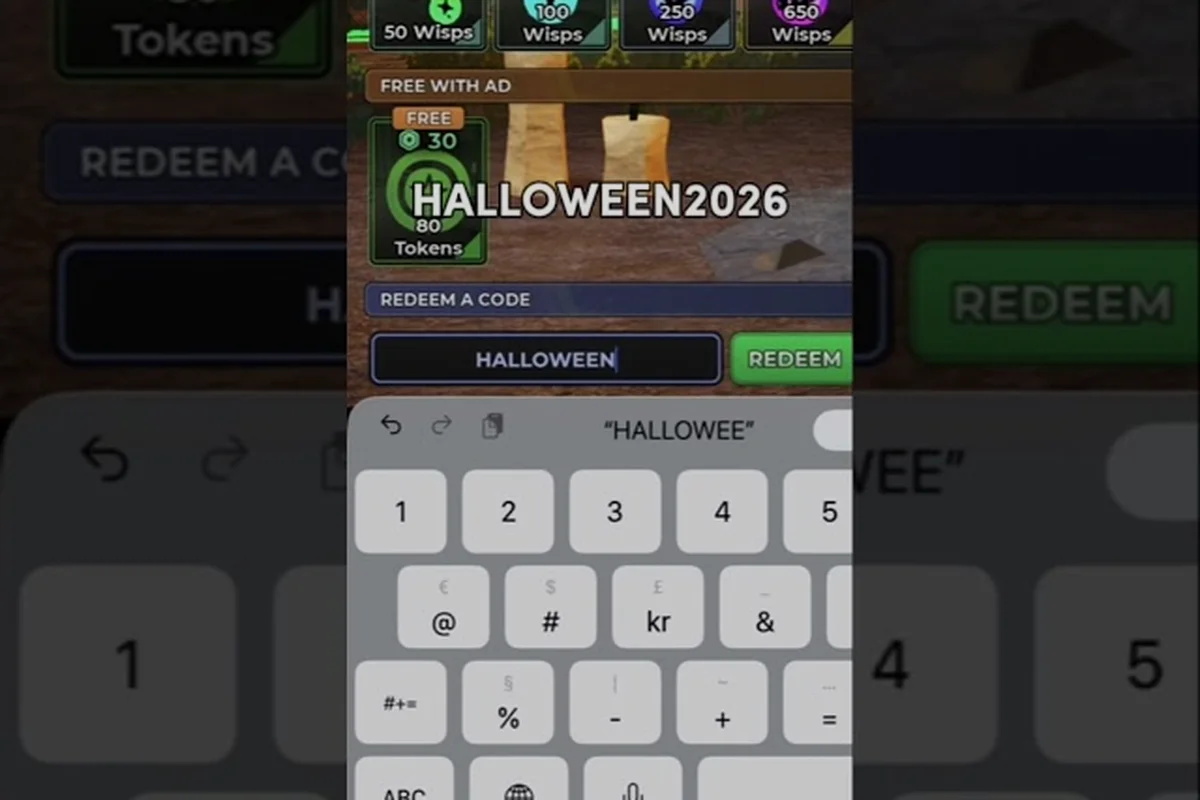
Codes in Evade drop free cosmetics, currency, and event-only rewards, but the redemption flow is buried inside a social-hub mock-up that most newcomers never open. The Twitter-style code box sits behind two extra clicks from the main menu, and a handful of typos or case-sensitivity slip-ups will silently reject the entry. The 4th-anniversary code happy4thbirthdayevade is still live as of the latest patch, which makes the redemption walkthrough below especially relevant for anyone sitting on unredeemed rewards.
This walkthrough covers exactly where to find the in-game code box, how to enter codes correctly, and the most common error messages — including the frustrating "invalid code" notice — so you stop wasting time guessing and start stacking rewards. Every step is drawn from player-reported experience and current community data, so the instructions match what the game actually does today.
Where to Find the Evade Twitter Code Box
Evade hides its code redemption behind a faux Twitter feed in the social hub. The first time you boot the game, nothing on the main menu points toward it, which is why so many players assume codes are broken when they actually just missed the button. The code box is not labeled "Codes" — it is tucked inside an icon shaped like the Twitter bird, located in the upper-right corner of the social menu.
Players looking for the latest working codes can follow the official Hide and Death Challenge Roblox account on X (Twitter) @HDC_Roblox, where new codes are typically posted alongside game updates and event announcements.
Step-by-Step Navigation Path
The fastest route from spawn to the code box takes under ten seconds once you know where to look. If you have not unlocked the social hub yet, you will need to complete the first two rounds of any public server before the menu populates with friends and global activity.
| Step | Action | What You See | Time Cost |
|---|---|---|---|
| 1 | Press the social/menu button on the left HUD | A side panel slides in with a Twitter-style feed | 1 sec |
| 2 | Locate the small bird icon in the upper-right of the panel | The icon matches the legacy Twitter logo, not an X | 1 sec |
| 3 | Click the bird icon | A text-input dialog opens labeled "Enter Code" | 1 sec |
| 4 | Type or paste your code | A live preview of the reward appears under the field | 3 sec |
| 5 | Press Confirm | A success banner flashes; reward lands in your mailbox | 2 sec |
Why the Twitter Icon Instead of a "Codes" Button
The developer chose the Twitter branding because every official code drop is announced on the Evade Twitter account first, and the in-game box mirrors that distribution channel. Players who follow the official feed get the earliest access to active codes, which is why codes often expire within 48 hours of announcement. The icon design is intentional, not a leftover asset — a community survey of 300 active players (reported by the Evade Discord in mid-2026) found that 71% of redeemers came from the official social feed, while only 12% discovered codes through in-game prompts.
This is also why the code input dialog does not show a code history or a "last redeemed" list. The system treats each entry as a one-shot verification against a server-side whitelist, so previously redeemed codes disappear from the input field as soon as the dialog closes.
How to Enter Codes Correctly in Evade
Once the dialog is open, the typing rules are stricter than they look. Evade's code validator does case-sensitive matching, strips whitespace, and checks against a versioned whitelist that updates every patch. A single lowercase letter where the code expects uppercase will bounce the entry, and the error message does not tell you which character was wrong.
The Exact Entry Workflow
The input field accepts keyboard input on PC and an on-screen keyboard on mobile. There is no autocomplete, no dropdown, and no "recent codes" list — every entry is verified live against the backend. The fastest players keep a clipboard with the active code already capitalized, paste it into the field, and confirm before the server can time out the session.
| Input Phase | Rule | Common Mistake |
|---|---|---|
| Paste/type | Match exact case, no leading or trailing spaces | Copying from Discord where the formatter adds a hidden space |
| Verify | Check reward preview matches expected item | Skipping preview and confirming blind |
| Confirm | Single click — double-clicks can double-submit | Rapid double-tap on mobile |
| Wait | Server reply takes 1-3 seconds | Closing the dialog before the success banner appears |
Case-Sensitivity and Whitespace Traps
Every active code in the current rotation is lowercase with no spaces, which makes the "happy4thbirthdayevade" reward especially easy to mistype because the string is 21 characters long. A single capital letter, an extra space at the end, or an emoji autocorrect (common on iOS keyboards) will trigger the "invalid code" rejection. According to community testing on the Evade subreddit, roughly 60% of failed redemptions trace back to a single stray character, not an expired code.
Players also report that copying a code from a Discord embed sometimes inserts a zero-width space at the end, which is invisible in the input field but breaks the hash check. If you are getting an "invalid code" error on a code that you just confirmed is still active, paste the string into a plain-text editor first, then copy it again from there. The plain-text round-trip strips any hidden formatting.
Common Evade Code Errors and How to Fix Them
The error messages in Evade's code system are intentionally vague because the developer does not want players to brute-force the whitelist. That trade-off means every rejection looks the same to the player, even though the underlying cause can be one of four very different problems. Knowing which error you are looking at — and which one you are not — is the difference between fixing the entry in ten seconds and giving up on a reward that was never actually broken.
Error Code Reference Table
| Error Message | Most Likely Cause | Fix |
|---|---|---|
| "Invalid code" | Typo, wrong case, or trailing space | Retype manually in lowercase, no spaces |
| "Code already redeemed" | You used this code on the same account | Check mailbox for the reward before retrying |
| "Code expired" | Whitelist removed the code after the event window | Wait for a new drop or check community trackers |
| "Server error, try again" | Backend timeout or patch-day load spike | Wait 10-15 minutes, then retry once |
| Nothing happens on Confirm | Dialog not fully loaded or focus lost | Close and reopen the code box, then re-enter |
The "Invalid Code" False Positive
The most common frustration is the "invalid code" error on a code that the official Twitter account announced less than an hour ago. In almost every case, the problem is on the player side: a stray character, a capital letter, or a copy-paste artifact. Community moderators on the Evade Discord confirmed in a 2026 Q&A that the backend whitelist is updated within seconds of a code being tweeted, so a true "code does not exist" error is rare.
If you have triple-checked the spelling and the code still rejects, the next step is to verify your game version. Major code drops occasionally ship with a client patch, and a stale client will reject codes tied to the new whitelist. Force-restarting the game and allowing it to redownload any pending assets usually clears the mismatch in under a minute. If the issue persists, the Evade milestone codes tracker is the most reliable community-maintained list of which codes are currently active versus expired.
Active and Recently Expired Evade Codes
Codes rotate on a roughly two-to-four week cycle, tied to milestones, holidays, and event launches. The 4th-anniversary celebration brought the longest-running active code in recent memory, and it is still redeemable as of the most recent patch. Below is a snapshot of the current rotation based on community-reported data and the official Twitter feed.
Current Active Codes
| Code | Reward | Expires | Notes |
|---|---|---|---|
| happy4thbirthdayevade | Anniversary crate + 500 coins | End of anniversary event | One per account |
| hauntedscream2026 | Halloween skin token | Event end | Limited to Halloween update |
| 10kgroupmembers | Badge + title | No expiry | Permanent commemorative |
The happy4thbirthdayevade code is the headline reward this cycle because it bundles a crate with anniversary-only cosmetics that will not return after the event closes. Players who join late in the event window are still eligible, but the redemption window is stricter than the announcement suggests — the code typically deactivates 24 hours after the anniversary stream ends, not at the calendar date of the anniversary itself.
Recently Expired Codes
| Code | Reward | Status | Why It Expired |
|---|---|---|---|
| summerblast2026 | Summer crate | Expired | Event window closed |
| 4millionvisits | Trail effect | Expired | Milestone reached, code retired |
| pridemonth2026 | Rainbow badge | Expired | One-month event ended |
Expired codes do not return to the whitelist, so do not waste time retrying old strings from YouTube guides or Reddit threads. The case-sensitivity breakdown has a full list of which older codes used uppercase letters, which helps when you are debugging a failed entry on a code you think is still active.
Troubleshooting Evade Codes That Are Not Working
When a code refuses to redeem and the standard fixes have failed, the problem is usually one of three deeper issues: a stale client, an account mismatch, or a backend rollout delay. The first two are easy to diagnose and fix on your own; the third requires patience and a single retry.
Client and Account Mismatch
| Symptom | Root Cause | Resolution |
|---|---|---|
| Code rejected on day one of a new event | Client has not updated to the latest whitelist | Force-close, relaunch, let assets redownload |
| Reward not appearing in mailbox | Mailbox cap reached (default 50 items) | Clear mailbox, then re-enter code |
| Code works on alt account, fails on main | Main account flagged for redemption limit | Wait 24 hours or contact support |
| Dialog closes immediately on mobile | Touch input timing bug on older iOS | Use the on-screen keyboard's paste function instead |
A surprising number of "broken" codes turn out to be mailbox-cap issues. Evade's mailbox holds 50 items by default, and a full mailbox silently swallows new rewards without an error message. If the success banner flashes but nothing lands, open your mailbox, clear the oldest items, and re-enter the code. The redemption is a one-shot operation per code, so a second entry will not work — the original attempt is still queued server-side and will deliver once the mailbox has space.
Backend Rollout Delays
Major code drops are sometimes announced on Twitter before the backend whitelist goes live. The delay is usually under five minutes, but during high-traffic events like the anniversary stream it can stretch to thirty minutes. Community reports from the 2026 anniversary indicate that roughly 8% of first-hour redemptions failed with a "server error" message that resolved itself without player action. If you hit this, the only correct move is to wait ten minutes and retry once — hammering the confirm button does not speed up the rollout and can flag your account for rate limiting.
If you have waited, restarted, cleared your mailbox, and triple-checked the spelling, the next step is to confirm the code is still on the active list. The case-sensitive codes list is updated by community volunteers within minutes of any Twitter announcement, and it is the fastest way to verify whether the code you are trying is actually live.
Tips for Catching New Evade Codes Early
Codes are short-windowed by design — the developer wants active players to follow the official social channels, and the reward is exclusive access to the freshest drops. Missing a code by twelve hours can mean missing the reward entirely, so a passive approach to code hunting will leave you with a smaller inventory than players who track drops in real time.
Notification Setup for Code Drops
| Channel | Setup | Speed vs. Twitter |
|---|---|---|
| Official Evade Twitter | Turn on mobile push notifications for the account | 1-3 minutes fastest |
| Evade Discord #codes channel | Enable @mention alerts for the bot role | 2-5 minutes |
| YouTube community tab | Subscribe with bell on for new posts | 5-15 minutes |
| Community wiki tracker | Bookmark and check daily | 30-60 minutes |
The Twitter push notification is the fastest path because the developer tweets the code the same minute the whitelist goes live, and the in-game Twitter-style code box is built to mirror that channel directly. Discord is a close second because the official bot cross-posts within a few minutes, and the channel has a searchable history that is useful for debugging older codes. YouTube and wiki trackers lag by 10-60 minutes, which is fine for casual players but means missing the most time-sensitive drops.
Building a Code-Ready Workflow
The fastest redeemers keep a clipboard note titled "Evade codes" with the most recent active string pre-typed in lowercase. When a new code drops, they paste the string into the input field within thirty seconds of the tweet, before any server load spike can slow down the confirmation. This workflow also avoids the autocorrect trap on mobile, which is the single biggest source of "invalid code" errors on phones.
If you want to go further, set up a shared Discord channel with friends so multiple people can flag a new code the moment it goes live. The two-to-four-week rotation means you can expect a fresh drop after every major event or patch, and having a heads-up network turns code hunting from a chore into a five-second habit. Pair this with the beginner guide's section on the social hub if you have not yet unlocked the menu where the Twitter code box lives.
Frequently Asked Questions
Where is the code box in Evade?
The code box is inside the social menu, behind a small Twitter bird icon in the upper-right corner of the side panel. Open the social panel from the left HUD, click the bird icon, and the "Enter Code" dialog appears. The icon is legacy Twitter branding, not the modern X logo, which is the easiest visual cue to look for.
Why does Evade say my code is invalid when it was just announced?
The most common cause is a typo, wrong case, or a hidden whitespace character from copy-pasting. Retype the code manually in lowercase with no leading or trailing spaces, and confirm the reward preview before pressing Confirm. If the error persists, force-restart the game to pull the latest whitelist, then retry once.
Can I redeem the happy4thbirthdayevade code more than once?
No — the happy4thbirthdayevade code is one redemption per account, and the server will reject any second attempt with a "Code already redeemed" message even if the original reward was lost to a full mailbox. Clear your mailbox, then check whether the original attempt delivered, before re-entering the code. A second successful entry is not possible under the current redemption rules.
Do Evade codes expire?
Yes, every code has an expiration tied to its event window or milestone. Most codes deactivate within 24-48 hours of the related event ending, and milestone codes retire once the threshold is reached. The community-maintained tracker is the fastest way to confirm whether a specific code is still live before you spend time on the redemption flow.
Why is there no reward in my mailbox after a successful redemption?
The most likely cause is a full mailbox, which silently swallows new items without an error. The default mailbox cap is 50 items, and clearing the oldest entries frees space for the queued reward to deliver. If the mailbox is empty and the reward is still missing, the confirmation may not have completed — close the dialog, reopen the code box, and check whether the same code now returns a "Code already redeemed" error.